How to Use a Trade Copier Without Getting Flagged by Your Prop Firm
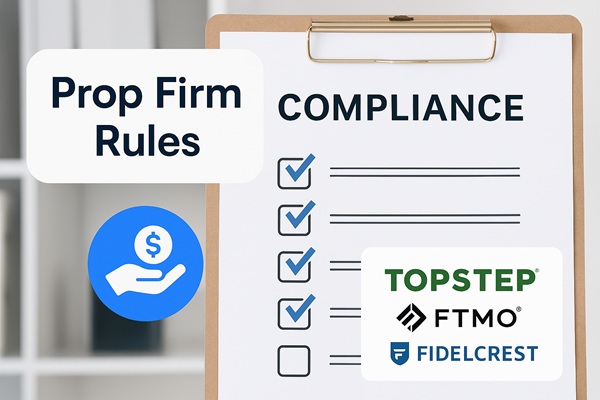
Most prop firm traders assume the trade copier software is the risk. It is not. The risk is in the architecture: whether your orders are being routed through a central server shared with thousands of other traders, or executed locally on your own machine. Get that distinction right and a trade copier carries no more compliance risk than running your own Expert Advisor.
Prop firms flag group trading, not copy trading. Group trading means orders correlated through a shared cloud service. A self-hosted, local copier like Trade Dispensary routes orders directly from your machine to your broker, with no third-party servers in the chain. That single architectural difference is what separates compliant trade copying from a payout denial risk.
What Prop Firms Are Actually Watching For
Prop firm compliance teams look for patterns that indicate coordinated trading across multiple accounts. The concern is not that you are copying trades. The concern is that a single signal source is simultaneously controlling positions on many accounts through an intermediary, which can resemble manipulation or organized account farming.
The specific signals that trigger review include:
- Correlated entry timing: Multiple accounts opening identical positions within milliseconds of each other, originating from the same IP address.
- Identical position sizes: The same lot size appearing across unrelated accounts at the same firm is a statistical pattern that risk teams notice.
- Shared external IP: If your cloud copier routes orders through a shared server, every account using that service appears to originate from the same IP. Prop firms track this at payout review.
- Order comment metadata: Some trade copier software embeds identifiers in the order comment field. Phrases like "copier", EA names, or signal provider tags can surface during manual trade reviews at payout time.
None of these flags are triggered by a local copier running on your own machine. The positions look identical to manual trades placed from your desktop or a locally installed Expert Advisor.
Cloud Copiers vs Local Copiers: Why the Difference Matters
This is the most important distinction for prop firm traders, and most articles get it wrong by focusing on the copier features rather than the infrastructure.
A cloud-based trade copier works by routing signals through a central server. Your master account sends a trade signal to that server, and the server distributes it to all connected follower accounts. From the prop firm's perspective, thousands of accounts are all receiving orders from the same external IP at the same moment. That is the definition of group trading that prop firm terms prohibit.
A local trade copier runs entirely on your own machine. When a trade is triggered, the signal goes directly from your local software to your broker connection. No external server is involved. The execution is indistinguishable from you manually clicking "buy" in your trading platform, or a locally installed Expert Advisor firing off an order.
For a deeper look at why local execution matters for payouts specifically, see our earlier guide on why local copy trading software is essential for prop firm payouts.
What the Prop Firm Rules Actually Say
Most prop firms have rules that prohibit "group trading" or "signal copying services", not "trade copiers" as a category. Reading the actual language matters.
Topstep requires that automated strategies run on your personal devices or a VPS that you control. Their rules state that trades must originate from systems under your management. A self-hosted copier running on your own machine or private VPS qualifies. A shared cloud service does not.
FTMO allows Expert Advisors and automated strategies. They specifically prohibit copying trades from third-party signal services that route through external infrastructure. If you run the strategy locally and the orders originate from your connection, it passes their standard.
Apex Trader Funding allows traders to run up to 20 evaluation accounts simultaneously. This is one of the more scale-friendly policies in the futures prop firm space. They prohibit fully automated bots that execute without human oversight but permit semi-automated tools, indicator-based strategies, and local copiers that execute under trader supervision.
For a detailed breakdown of how different firms apply these rules, see our guide on prop firm copy trading rules in 2026.
Five Practical Steps to Stay Compliant
1. Run the copier on your own machine, not a shared server
This is the foundational step. If your copier uses a shared cloud relay where orders pass through an intermediary server before reaching your broker, switch to local software. Everything else in this list is secondary to this point.
2. Use a dedicated private VPS if you need 24/7 uptime
If you need the copier running continuously, a private VPS works fine. The key word is private. A VPS you control exclusively has a fixed IP address assigned only to your account. Do not use a shared hosting environment or a service where multiple traders share the same server IP, as that recreates the same problem as a cloud copier.
3. Vary position sizing between accounts
Identical lot sizes across multiple accounts at the same firm is a pattern that draws attention during payout review. Configure your copier to apply a different size multiplier to each account. Even small differences break the perfect correlation that makes positions look coordinated from the outside.
4. Check and customize the order comment field
Some trade copier software automatically populates the order comment with identifiable text. Before going live, verify what your copier writes into the comment field on each order. Either clear it entirely or set a neutral, custom value. Comments containing copier software names or signal provider identifiers are unnecessary in the live order flow.
In Trade Dispensary, the comment field behavior is configurable per copy rule. You can set it to blank or any value you choose.
5. Do not connect multiple accounts from the same prop firm to the same signal source
Running two accounts from the same prop firm that both receive identical signals from the same source at the same time is the clearest example of what group trading rules prohibit. If you want to scale to multiple evaluations simultaneously, use different firms, or apply meaningful per-account variation in timing and sizing so the executions do not correlate directly.
How Trade Dispensary Handles Compliance by Design
Trade Dispensary is self-hosted software. There are no cloud servers, no shared relays, and no external routing of your order flow. When you install Trade Dispensary on your machine, every order is processed locally and sent directly from your system to your broker or prop firm platform connection.
This architecture means:
- Your order flow never passes through Trade Dispensary's servers
- Your IP address on file with the prop firm stays consistent with your own connection
- There is no third-party identifier in the order chain between you and your broker
- Your execution profile looks identical to a locally installed Expert Advisor
Beyond the local architecture, Trade Dispensary's Price Translate feature allows per-account price adjustments when copying to multiple destinations. Combined with per-account size multipliers, no two destination accounts will have perfectly identical position characteristics even when copying from the same source signal.
For setup guidance for specific platforms, the MetaTrader 5 copy trading setup guide and the NinjaTrader integration guide cover the configuration steps in detail. For a full list of supported platforms and features, visit the Trade Dispensary features page.
What Happens at Payout Review
Prop firms typically conduct a manual review of your trading activity when you submit a payout request. This review looks for patterns that indicate rule violations: news trading within restricted windows, lot sizes that breach daily limits, and position correlation with other accounts.
For traders using a cloud copier, this review can surface the correlated execution timestamps and shared IP that result from routing through a central server. That is when traders discover their payout has been denied for group trading violations, even if they were not aware that their software was creating that pattern.
For traders using a local copier like Trade Dispensary, the review looks identical to reviewing a trader who uses a locally installed Expert Advisor. There is nothing in the order metadata or execution pattern that points to a third-party copy service, because there is no third-party involved.
Getting Started With Compliant Copy Trading
If you are currently using a cloud-based copy service and plan to run prop firm accounts, migrating to a local setup before your next payout request is the right move. The switch does not have to happen mid-challenge. Evaluate it on a demo or personal account first, confirm the execution flow is clean, then go live on funded capital.
Trade Dispensary is a one-time purchase with no monthly fees. To see what it supports and how it connects to your trading platforms, start with the full features overview. For pricing, visit the purchase page.
Keep your order flow on your machine, and your copier becomes a compliance non-issue.
Tags:
Share this post
Frequently Asked Questions
Can I use a trade copier on a prop firm account?
Yes, as long as it runs locally on your own machine. Most prop firms prohibit cloud-based signal copying services that route orders through shared servers, because that creates correlated execution across multiple accounts. A self-hosted copier like Trade Dispensary installs on your PC or private VPS and routes orders directly to your broker, with no external server in the chain. From the prop firm's perspective, it looks identical to a locally installed Expert Advisor.
What is group trading and why do prop firms ban it?
Group trading means multiple accounts receiving and acting on the same signals through a shared intermediary, usually a cloud copy service. Prop firms ban it because it creates coordinated position-taking across accounts the firm treats as independent, which resembles account farming or manipulation. Running a local copier that copies your own signals from one account to your own other accounts does not meet the definition most firms use.
Can prop firms see that I'm using trade copier software?
They cannot see your local software, but they can see patterns in your order flow. A cloud copier creates detectable patterns: identical positions across unrelated accounts originating from the same IP at the same millisecond. A local copier running on your own machine does not produce those patterns. Your orders look the same as manual entries or a locally installed EA.
Is it safe to run multiple prop firm accounts with a trade copier?
It depends on the configuration. Running two accounts at the same prop firm with identical positions and sizing is the clearest example of what group trading rules prohibit. Running accounts at different firms, or applying per-account variation in sizing and timing, substantially reduces the risk. Trade Dispensary's per-account copy rules let you configure different size multipliers for each destination account.
Does Trade Dispensary store my trade data on external servers?
No. Trade Dispensary is self-hosted software. Your order flow, account credentials, and trading data stay on your own machine. Nothing passes through Trade Dispensary's servers. The tunnel connection used for remote management is point-to-point between your machine and your client interface only.