Multi-Platform Trade Copier: What Versatility Actually Means
Risk warning. Trading futures, forex, CFDs and perpetual futures carries a substantial risk of loss and is not suitable for every investor. Most prop firm evaluation accounts do not pass. Nothing here is financial advice or any kind of projection of results, and a copier does not improve a strategy, it only runs the same decision on more accounts at once. Always prove any copier, bot or automation on a demo or simulated account before you point it at a live or funded account, and re-test after every update or configuration change.
TL;DR
- Trade Dispensary reads from 6 source platforms and writes to 11 destination platforms, which is what lets one decision drive a futures prop account, an MT5 broker and a crypto perps evaluation at the same time.
- Three different ways to handle multiple take profits, because splitting a signal into TP1, TP2 and TP3 at full size multiplies your exposure and most people do not realise it until it bites.
- Risk Guard gives every account six independent limits plus a scheduled flatten and a manual kill switch. A breach flattens that one account and leaves the others trading.
- It tells you what it cannot do. On three destinations a balance cannot be read dependably enough to police a money limit, so those limits are refused with the reason rather than accepted and quietly ignored.
- Everything below is in version 4.32.0. Test it on demo first.
What is a multi-platform trade copier?
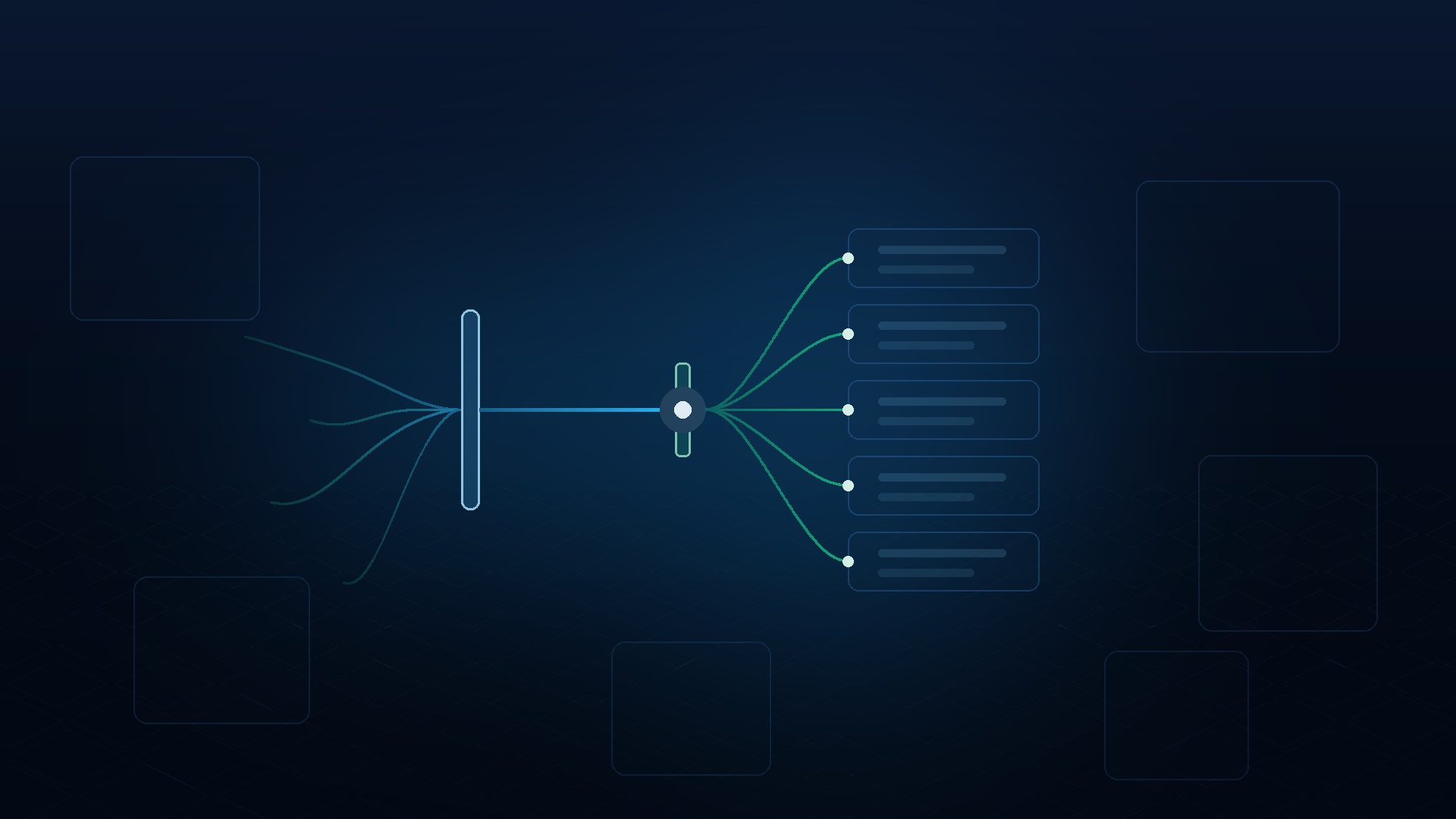
A multi-platform trade copier is software that reads your trades on one platform and places matching trades on accounts held at different platforms, translating symbols, position sizes and order types along the way. A single-platform copier only moves trades between accounts of the same type, which is why it cannot help once your accounts sit at different firms.
That distinction sounds academic until you look at what most traders actually hold. A futures prop evaluation on one platform. A broker account on MetaTrader 5. Maybe a crypto perps evaluation that runs on something else entirely. These are not the same account type, and they do not speak the same language.
Most copiers solve the easy half of this. They move a trade from one account to another account on the same platform, which needs no translation at all. The hard half is a single signal landing correctly on four platforms that disagree about what the Nasdaq is called, how position size is expressed, and whether a stop loss travels with the order or arrives separately.
Which platforms can Trade Dispensary copy from and to?
Trade Dispensary copies from 6 sources and to 11 destinations. Sources are MetaTrader 5, TradingView, NinjaTrader, cTrader, TopstepX via the ProjectX API, and Telegram signal channels. Destinations are TopstepX (API or web), MT5, NinjaTrader, cTrader, Bybit, Propr, Vest, MyFundedPerps, TradeLocker, Breakout and Deepcharts. Any source can drive any destination.
Written out as a table, because the combinations are the whole point:
| Sources (read from) | Destinations (write to) |
|---|---|
| MetaTrader 5 | TopstepX, via the ProjectX API or the web platform |
| TradingView (webhooks) | MetaTrader 5 |
| NinjaTrader | NinjaTrader |
| cTrader | cTrader |
| TopstepX / ProjectX (WebSocket) | Bybit |
| Telegram signal channels | Propr (routes to Hyperliquid) |
| Vest (perps DEX and Vest Capital) | |
| MyFundedPerps | |
| TradeLocker (forty-plus firms) | |
| Breakout | |
| Deepcharts / Volumetrica (TradersLaunch) |
The TradeLocker row is doing more work than it looks. TradeLocker is a platform that dozens of prop firms run on, so one destination type reaches FunderPro, Blue Guardian, E8 Markets, GOAT Funded Trader, Atlas Funded, FTUK, OFP Funding, Funding Traders, Eightcap and many more. You supply an email, a password and your firm's server name. There is no API key to create, which matters because plenty of firms do not issue one. Our TradeLocker copy trading guide walks through the setup.
Four destinations need no API key at all, because they are driven through a browser session on your own machine: TopstepX Web, Breakout, Deepcharts and Vest Capital. That route exists for a specific reason, covered next.
Why a prop firm's platform choice decides your copier
You do not choose the platform. The firm does, and it usually locks the choice at checkout.
That is the part that catches people out. A trader picks a copier, then buys an evaluation from a firm they like, and discovers the two do not meet. Most copiers in this space support a cluster of futures platforms and nothing else, which is fine right up until your next account is at a firm that runs something different.
It gets more awkward than a missing integration. Some firms publish no developer API whatsoever. Vest Capital is one. Breakout does not even use a password, it signs you in with a link emailed to you. On an API-only copier these firms are simply unreachable, and no amount of configuration changes that.
The browser-session route is the answer to that. Trade Dispensary drives the platform's own web interface in a local browser on your machine, which means a platform that was never designed with a copier in mind can still be a destination. Our Deepcharts integration post explains how that works in practice on a Volumetrica platform.
One more constraint worth naming, because it is not ours to fix. Topstep permits one active device session at a time. That rule shapes which route you should use for a Topstep account, and it is why the ProjectX API destination exists alongside the web one.
How does copying multiple take profits actually work?
Trade Dispensary handles multiple take profits three ways: place one order per target at full size (Multi-Split), place one order at a single chosen target (TP Level), or rebuild the source's scale-out ladder in the destination's own size (Laddered TPs). The mode matters because the first one multiplies your position, and that surprises people.
Here is the trap, stated plainly. A Telegram signal arrives with three targets. Multi-Split places three orders, and each one is at the rule's full volume. If your rule is sized for one contract of risk, you are now holding three. Multiply that by six accounts and the position is nothing like the one you thought you had configured.
That is not a defect, it is what "one order per target" means, and some traders want exactly that. But it needs to be a decision rather than a discovery, so it is worth being explicit about the three options:
- Take Profit Multi-Split. One order per target, each at full volume, up to your Max Orders setting. Use it when you intend to scale and you have sized the rule accordingly.
- Take Profit Level. Pick TP1 through TP5, or the furthest target in the signal, and one order goes out at that price. This overrides Multi-Split. Use it when you want a signal's analysis without its position sizing.
- Laddered Take Profits. For a source that actually scales out at several levels, the ladder is rebuilt on the destination in the destination's own size.
There is also a strict mode. If a signal is missing the TP level you asked for, the trade can be skipped rather than filled in with a guess. A copier quietly substituting a different target is worse than a copier that declines, because you find out about the substitution later. Our guide to automating Telegram trading signals covers how multi-target signals get parsed in the first place.
Laddered take profits and partial closes
Scaling out is where copiers tend to fall apart, and the reason is arithmetic rather than engineering.
Say you close a third of a 3-contract position on your source. The destination holds 2 contracts. A third of 2 is 0.667, and no futures venue accepts two-thirds of a contract. A copier has three choices: round it, drop it, or refuse it. Rounding silently changes your risk. Dropping it silently leaves you in a position you thought you had reduced.
Trade Dispensary copies the share rather than the quantity, so a third on the source is a third on the destination at whatever size that destination holds. Where the share cannot be expressed exactly in the destination's own minimum size, the ladder is refused rather than approximated, and it says so. A refusal you can see beats a rounding you cannot.
Partial closes follow the same principle. A partial exit on the source is copied as a partial exit, not as a full close, on every destination except the three that expose only a full flatten (Deepcharts, Breakout and TopstepX Web). Those three are listed rather than papered over, because a partial close that silently becomes a full exit is the kind of surprise that ends an evaluation.
On platforms that cannot hold more than one target at a time, the ladder is copied rung by rung as each one fills instead.
What account protection does a trade copier need?
A copier needs protection at the account level, not the trade level, because its whole job is to multiply one decision across several accounts. One bad signal can breach six funded accounts in the same second. Risk Guard sets six independent limits on each destination account, and a breach affects that account only.
The six limits, set per account from its card:
| Limit | Trips when |
|---|---|
| Daily loss limit | The account is down this many dollars from where it started the trading day |
| Daily profit target | The account is up this many dollars. Stops a good day being handed back |
| Trailing drawdown | The account falls this far from its highest value so far. The high-water mark only moves up |
| Max daily orders | This many entries have been taken in one trading day. Useful against a source that starts misfiring |
| Max open positions | An entry would leave more than this many positions open. Refuses that one entry rather than tripping the guard |
| Max consecutive losses | This many losing trades have run in a row. A winner clears the count |
On a breach you choose Flatten (close everything on that account, then stop new entries) or Halt (stop new entries and let open positions run to their own stops). A reset hour decides when the trading day rolls over, defaulting to 18:00 to match the futures session boundary.
Two more controls sit alongside the limits. Flatten at a time closes every position on an account when the clock reaches it, read in that account's own timezone, whether or not any limit was breached. And the kill switch stops new entries immediately until a person presses Resume. Not the daily reset, not a restart, not disabling the guard. A manual halt is a decision someone made, so only someone can undo it.
There is also an alert for the failure nobody watches for. A revoked API key, an expired TradingView alert and a quiet market all look identical on a dashboard, which is to say they all look fine. Silence alerts tell you when a source has stopped reporting for longer than it should. Our post on built-in drawdown protection goes deeper on why the guard is per account rather than global.
The honest part: what it cannot do on every platform
Versatility is not the same as pretending every platform is equal. They are not, and a copier that hides the differences is doing you no favours.
A money limit needs a balance the guard can read at any hour, including overnight when you are asleep and nothing is being traded. Most destinations supply one. Three cannot, and on those the money limits are refused with the reason rather than saved as a setting that could never fire:
| Destination | Basis | What that means |
|---|---|---|
| MT5, Bybit, NinjaTrader, MyFundedPerps, Propr, Vest, TradeLocker | Equity | Includes floating profit and loss, so the guard can fire while a losing trade is still open |
| TopstepX via the ProjectX API, cTrader | Balance | Realised only. The guard acts once a loss is closed, not while it is running |
| Breakout, TopstepX Web | Read, not guarded | Both report balance and equity, but only while a browser session is open. A limit that stops watching when the browser is down would fail exactly when it is needed |
| Deepcharts | Not available | The platform publishes no balance at all, so a limit could never fire |
The balance-only row deserves attention if you trade a trailing-drawdown account, because it is usually unrealised loss that breaches one. On a balance-only platform the guard stops your next trade and flattens your other accounts, which is most of the value when one signal drives six of them, but it is not an equity stop and the dashboard says so on those cards.
The third row is a near miss rather than a flat no, and the distinction matters because those two balances are read and do appear on their dashboard cards. What they cannot do is underwrite a promise. A browser session only exists while the account is being traded, so a guard resting on one would be at its least reliable in the small hours when a position is drifting against you. For TopstepX there is a clean answer: point a ProjectX API destination at the same account and you get a fully guarded equity-aware copy, because the API needs no browser at all. Partial closes work on that route too, for the same reason.
The consecutive-loss limit is gated more narrowly again, on whether the platform publishes a per-trade result at all. Today that is ProjectX and TopstepX API destinations, plus MT5. It is a gap in what has been built rather than a limit of the platforms, so the list should grow.
Three rules the guard will not break, and they are worth knowing before you rely on it:
- A guard never blocks an exit. It stops new entries only. A guard that could block an exit would trap you inside a loser, which is worse than no guard.
- A failed read never trips a guard. If a balance cannot be read because the platform is closed or a packet dropped, nothing happens and the card shows the reading as stale. No account gets flattened over a network blip.
- A guard never claims protection it cannot provide. If a balance cannot be read dependably enough to police the limit, the setting is refused with the reason rather than saved.
One thing that does work everywhere: the scheduled flatten and Panic Close. Closing a position needs no balance read, so both are available even on the accounts the table above marks as unguardable. Panic Close flattens a destination on all 11 platforms, and an optional one-click mode (off by default) flattens every active destination at once.
Risk Guard is a safety net, not a replacement for your prop firm's own rules. Keep using the platform's native limits as well.
Putting it together
Versatility in a copier is not a longer feature list. It is three things working at once: the platform reaches the accounts you actually hold, the position it builds is the one you intended, and the protection it offers is real on the platform you are using.
That is why the per-platform tables above exist rather than a row of ticks. A copier that supports eleven destinations and tells you which three cannot be guarded is more useful than one that supports eleven and lets you set a limit that will never fire.
Trade Dispensary runs on your own machine, carries no monthly fee, and version 4.32.0 includes the NinjaTrader Add-On, the MT5 bridge EA and the cTrader cBot in the download. If you are weighing up the running costs, our note on trade copiers without a monthly fee covers the licence model, and risk management for copy trading covers sizing across several accounts.
Start on demo. Connect one source and one simulated destination, take a few trades by hand, and watch what arrives. Then add the guard, then add the second account. Every feature above is worth more once you have seen it behave on an account you cannot lose money on.
Risk disclaimer. Trading futures, forex, CFDs and leveraged perpetual futures carries a substantial risk of loss and is not suitable for every investor. The majority of prop firm evaluation accounts do not pass, and past performance never indicates future results. Trade Dispensary copies orders between platforms; it does not provide trading advice, predict markets or guarantee any outcome, and Risk Guard is a safety net rather than a substitute for your firm's own rules. Platform availability, prop firm rules and API access can change at any time without notice, and every capability described here reflects version 4.32.0 as at 17 October 2026. Always test on a demo or simulated account before connecting a live or funded account, and re-test after any update or configuration change. You remain solely responsible for your trading decisions and for meeting the rules of any account you use.
Frequently asked questions
What is a multi-platform trade copier?
A multi-platform trade copier reads your trades on one platform and places matching trades on accounts held at different platforms, translating the symbol, the position size and the order type along the way. A single-platform copier only moves trades between accounts of the same type, which is why it stops being useful as soon as your accounts sit at different firms. Trade Dispensary reads from 6 source platforms and writes to 11 destination platforms, and any source can drive any destination.
Which platforms does Trade Dispensary copy to?
Eleven destinations: TopstepX through either the ProjectX API or the TopstepX web platform, MetaTrader 5, NinjaTrader, cTrader, Bybit, Propr, Vest, MyFundedPerps, TradeLocker, Breakout and Deepcharts or Volumetrica platforms such as TradersLaunch. TradeLocker alone reaches forty-plus prop firms including FunderPro, Blue Guardian, E8 Markets, GOAT Funded Trader and Atlas Funded, because they all run on that one platform. Sources are MT5, TradingView, NinjaTrader, cTrader, TopstepX via ProjectX and Telegram signal channels.
Can a trade copier work with a prop firm that has no API?
Yes, if it can drive the platform the way you would. Four Trade Dispensary destinations need no API key because they run through a local browser session on your own machine: TopstepX Web, Breakout, Deepcharts and Vest Capital. That route exists because several firms publish no developer API at all, and Breakout does not even use a password, it signs you in with a link emailed to you. On an API-only copier those firms are simply unreachable.
How does a trade copier handle multiple take profit levels?
Trade Dispensary offers three modes. Take Profit Multi-Split places one order per target, and each one is at the rule's full volume, so three targets means three times the position. Take Profit Level places a single order at whichever target you pick, TP1 through TP5 or the furthest in the signal, and it overrides Multi-Split. Laddered Take Profits rebuilds a source's real scale-out ladder on the destination in the destination's own size. The first mode multiplying your exposure is the detail that catches people out, so choose it deliberately rather than by default.
What happens when a partial close cannot be copied exactly?
It is refused rather than approximated. Trade Dispensary copies the share rather than the quantity, so closing a third of a source position closes a third of the destination position at whatever size it holds. Where that share cannot be expressed exactly in the destination's own minimum size, for example a third of two futures contracts, the ladder is declined and says so instead of rounding. A rounding you cannot see changes your risk silently, which is worse than a refusal you can see.
Can a trade copier stop me breaching a prop firm drawdown rule?
It can help, and it is not a substitute for the firm's own limits. Risk Guard sets six independent limits on each destination account: daily loss, daily profit target, trailing drawdown, max daily orders, max open positions and max consecutive losses. A breach flattens or halts that one account and leaves every other account trading. There is also a scheduled flatten and a manual kill switch that only a person can clear. Always keep using your platform's native limits as well, and test any automation on demo first.
Why can some platforms not be risk guarded?
Three destinations cannot be, and the reason differs between them. Deepcharts publishes no balance at all, so a limit there could never fire. Breakout and TopstepX Web do report both balance and equity, and those figures appear on their dashboard cards, but only while a browser session is open, and a session only exists while the account is being traded. A limit resting on one would stop watching exactly when it is needed, so on all three the money limits are refused with the reason rather than saved as a setting that could never fire. MT5, Bybit, NinjaTrader, MyFundedPerps, Propr, Vest and TradeLocker report equity, so a guard there can fire while a losing trade is still open. TopstepX through the ProjectX API and cTrader report balance only, so the guard acts once a loss is realised. To guard a Topstep account fully, point a ProjectX API destination at it instead of the web platform. Scheduled flatten and Panic Close work everywhere, because closing a position needs no balance read.
Tags:
Share this post
Related Posts
Continue learning about copy trading with these related articles: